How to Log In (Including SSO)
Last updated: August 14, 2026
In this article: How to access your Phaselaw account using a standard login or Single Sign-On (SSO).
Before you log in
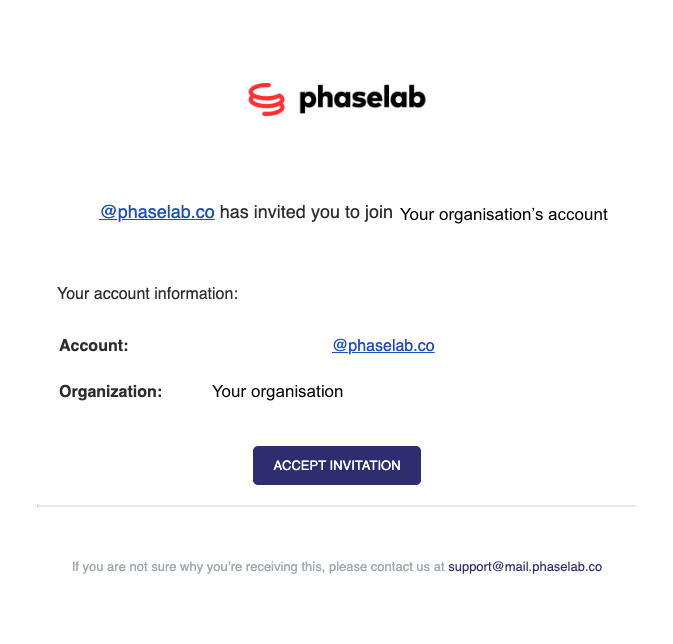
You'll need an invitation from either your organisation's Phaselaw administrator or from the Phaselaw team directly. Once invited, you'll receive an email from support@mail.phaselab.co with instructions to access your account.
Haven't received an invitation? Reach out to your Phaselaw administrator in the first instance. If you're not sure who that is, get in touch with our Support Team using our in-app chat or by emailing support@phase.law.
Step 1: Accept your invitation
Open the invitation email and click Accept Invitation. This will take you to the Phaselaw sign-up page
Step 2: Sign up and log in
On the sign-up page, your email address will be pre-filled. From here you have three options:
Option 1: Continue with email
Select Continue to set up your account using your email address and a password.
To ensure your account is secure, you will be prompted to set up Two Factor Authentication (TFA):
Using your preferred authenticator app, scan the QR code and enter the one-time code shown on your app.
Having trouble setting up TFA? Get in touch with our Support Team using our in-app chat or by emailing support@phase.law.
Option 2: Continue with Microsoft
Click Continue with Microsoft to log in using your existing Microsoft account - no separate Phaselaw password needed.
Option 3: Continue with Google
Click Continue with Google to log in using your existing Google account - no separate Phaselaw password needed.
Troubleshooting login issues
I haven't received my invitation email
Check your spam or junk folder. If it's not there, ask your Phaselaw administrator to resend the invitation.
I'm seeing an error when continuing with Microsoft or Google
This can sometimes happen if the email address on your Microsoft or Google account doesn't match the one you were invited with. Contact support@phase.law with a screenshot of the error for further support.
I've forgotten my password
At the Log In page, select Reset Password to reset it via email.
More Information
If you require sign-in via SAML, please contact support@phase.law for further information on setup. Note: custom SAML and OIDC connections require an Enterprise subscription with SSO access.
What's next?
New to Phaselaw? → Welcome to Phaselaw: What Is This Tool and How Does It Work?
Ready to explore the interface? → A Tour of the Phaselaw Interface