Why are my PDF redactions appearing on multiple pages or in wrong locations?
Last updated: August 10, 2026
If your PDF redactions are appearing in incorrect locations or being duplicated across multiple pages, this is likely due to background images in your document. This is a common issue when working with documents that have headers, footers, or watermarks implemented as background images.
Why does this happen?
PDF redactions must be applied to all layers of a document. When a document contains background images that repeat across multiple pages, redactions will appear on every instance of that background image. This is a limitation of the PDF format itself and occurs in all PDF editing software.
Solutions
1. Switch to white redaction bars
Since background images sit behind the text layer, white redactions will only be visible on the text while remaining invisible on the background. This is the quickest fix if you've already completed your redactions.
How to change your redaction colour at case level:
From inside your case, click Case Settings

Under Redaction Style, change the Fill colour to white
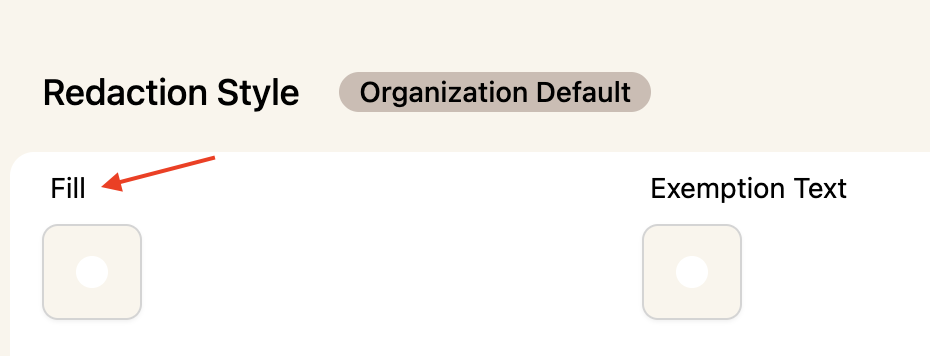
Click Update
Go back to the document and apply your redactions
Finalize the document
Go back to Case Settings, and change your redaction style back to default
Once done, go back to Case Settings and change the redaction colour back to your original settings. If you need to make further redactions in the same document, export it first and re-upload it to continue redacting in your default colour.
2. Remove background images before uploading
Remove any background images, headers, or footers from the Word document before uploading to Phaselaw. This requires redoing your redactions but allows you to use standard black redaction bars without any display issues.
If you're working across multiple documents and need consistency, contact support via the live chat in the bottom right corner of the product and we can help refinalize documents with white redaction bars.
3. Export the document as a flattened image
If you've already finalized the document and want to fix the background image issue without changing your redaction colour, you can export it as a flattened image. This converts every page into a standalone image, removing any shared background elements — so redactions stay on the page they were applied to.
How to use this option:
Finalize the document
Once finalised, click the Flatten to image button

Phaselaw will export the document as a flattened image, with each page converted independently
The flattened image export is larger in file size and produces a flat image — text in the document will no longer be selectable or searchable after conversion.