How to find your Case ID
Last updated: June 26, 2026
In this article: What a case ID is, where to find it, and when you'll need it.
What is a case ID?
Every case in Phaselaw is automatically assigned a unique case ID when it's created. You don't need to set this up- it's generated by the system.
Your case ID is 5 digits and a mix of letters and numbers (your ID will be different for every case).
When will I need my case ID?
You'll need your case ID if you ever contact the Phaselaw support team about a specific case. Sharing your case ID allows us to locate your case quickly and give you faster, more accurate help.
Where to find your Case ID
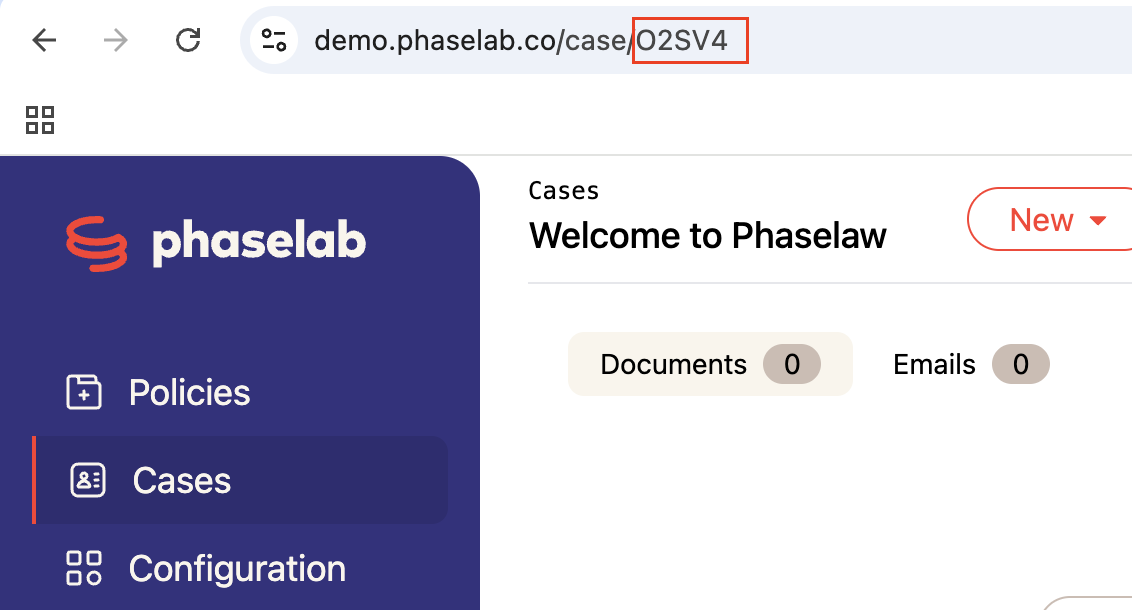
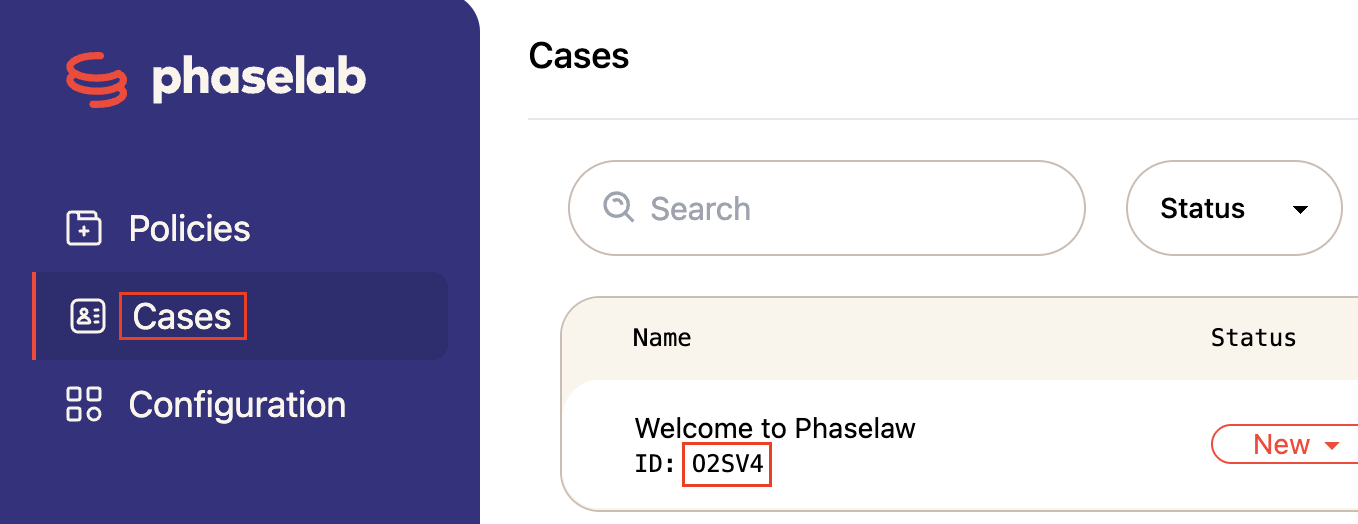
You can locate your Case ID in two places:
In the URL of your case, as shown below:
2.Your case ID is also visible on the Cases screen. Each case in your list shows its name and case ID directly below it. You can click directly on the case ID to copy it to your clipboard.
More Information
If you're getting in touch with us via the in-app chat or by emailing support@phase.law, have your case ID ready to share if it's relevant to your request
What's Next?
Need to reach our Support Team? → General Customer Support Information