Resetting a Document to Its Original State
Last updated: August 17, 2026
In this article: How to undo all edits and comments on a document and restore it to the version that was originally uploaded.
Resetting a document is permanent and cannot be undone. All redactions, edits, and comments on the document will be removed. This option is only available before a document has been finalized. If your document is already finalized, you can unfinalize it to reset.
How to reset a document
Open the document in the document viewer
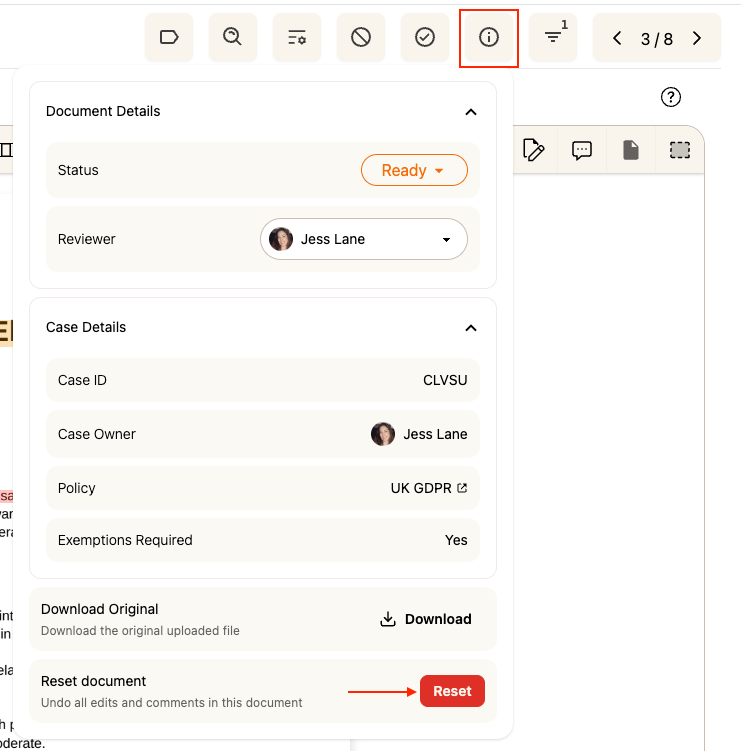
Click the Additional Information (i) icon in the top toolbar to open the panel
Scroll down to the Reset document section
Click the red Reset button
The document will be restored to the original uploaded version, with all edits and comments removed.