How to Check Your Account Analytics
Last updated: September 8, 2026
In this article: How to view your account's usage analytics, including storage and file breakdowns by month and by case.
Usage analytics are only available to admins.
Accessing analytics
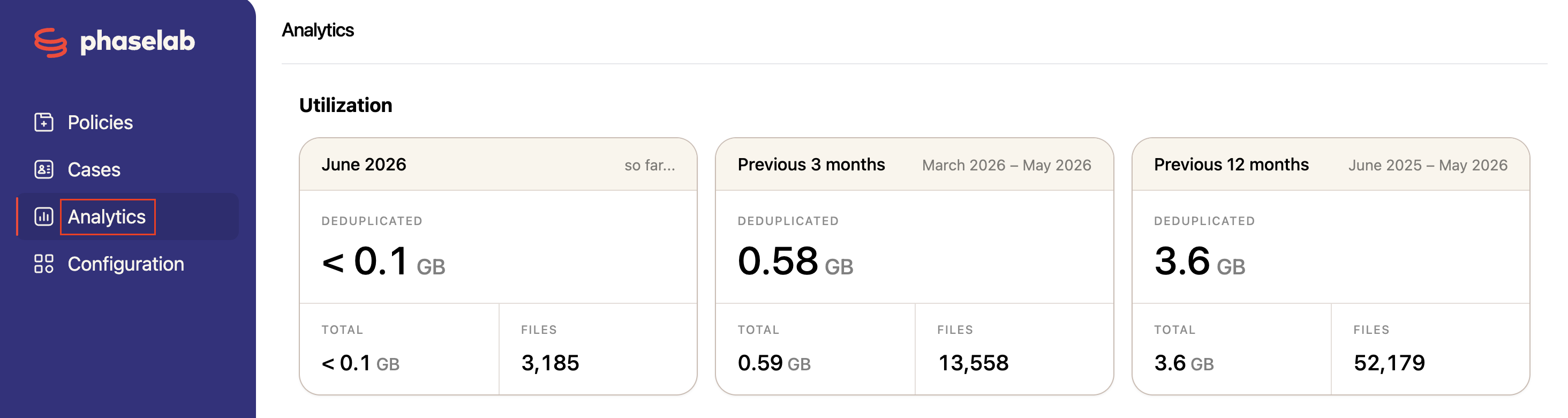
From the left sidebar, click Analytics
What you can see
The Utilization section gives you a real-time view of your account usage across three time periods — the current month, the previous 3 months, and the previous 12 months. For each period you can see:
Deduplicated GB — storage used after deduplication
Total GB — total storage uploaded
Files — total number of files processed
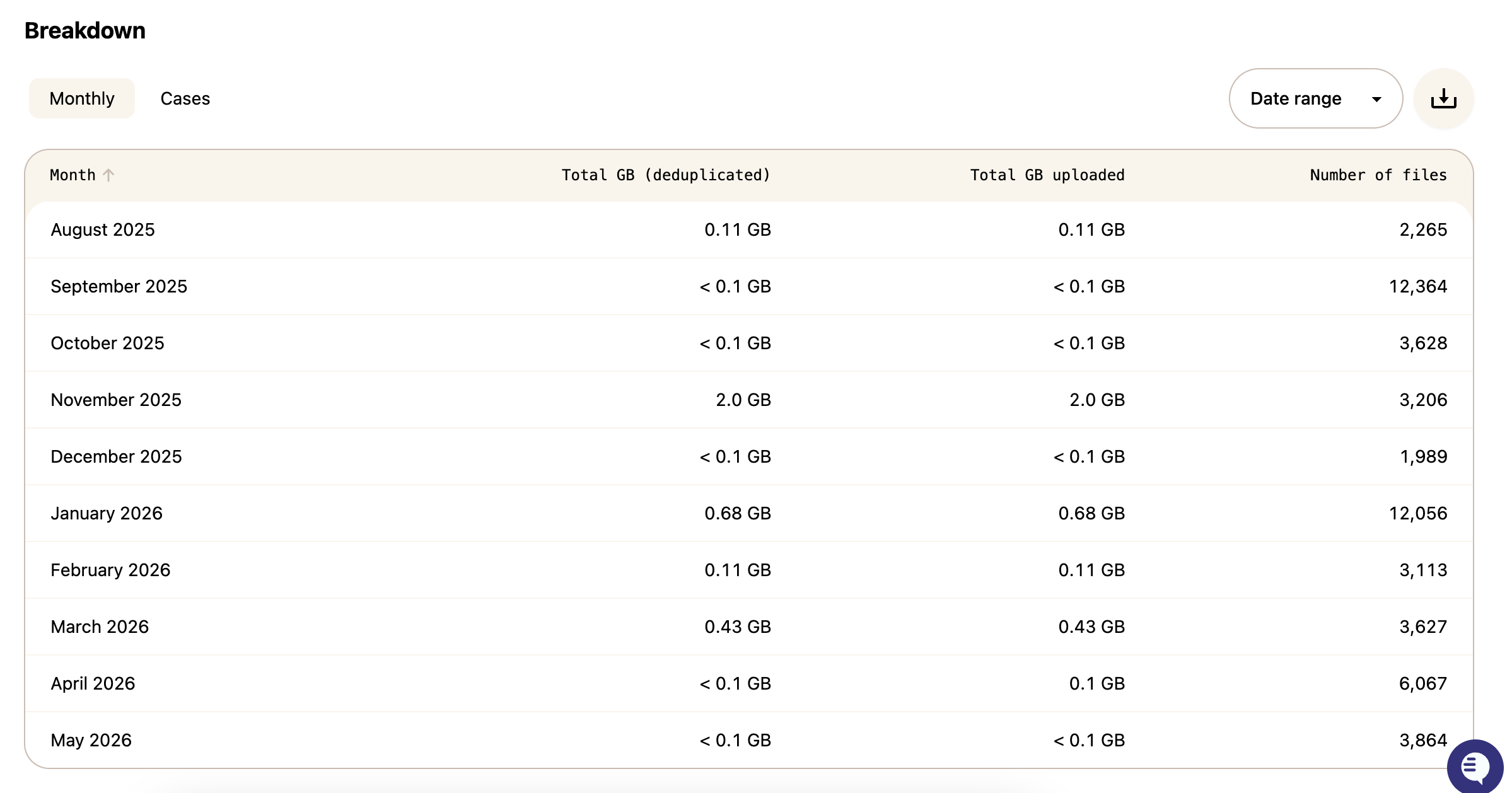
Breakdown
The Breakdown section lets you view usage by Month or by Case — useful for identifying which cases or time periods have used the most storage, or how many pages each case has.
You can also set a custom Date range and download the breakdown data using the download icon.