Configuring custom SAML or OIDC connections
Last updated: August 14, 2026
Note: custom SAML and OIDC connections require an Enterprise subscription with SSO access. Reach out to support@phaselab.co to learn more
Instructions
Setting up a custom SSO connection is straightforward regardless of the SSO provider you use. Please follow the below steps:
Request an SSO setup page: We issue a custom SSO setup page per connection. If you'd like to configure a new connection, reach out from an Administrator account to support@phaselab.co to request a new setup page. Make sure to include the contact details of the IT contact who will be responsible for SSO setup.
IMPORTANT: SSO setup pages expire after 5 days.
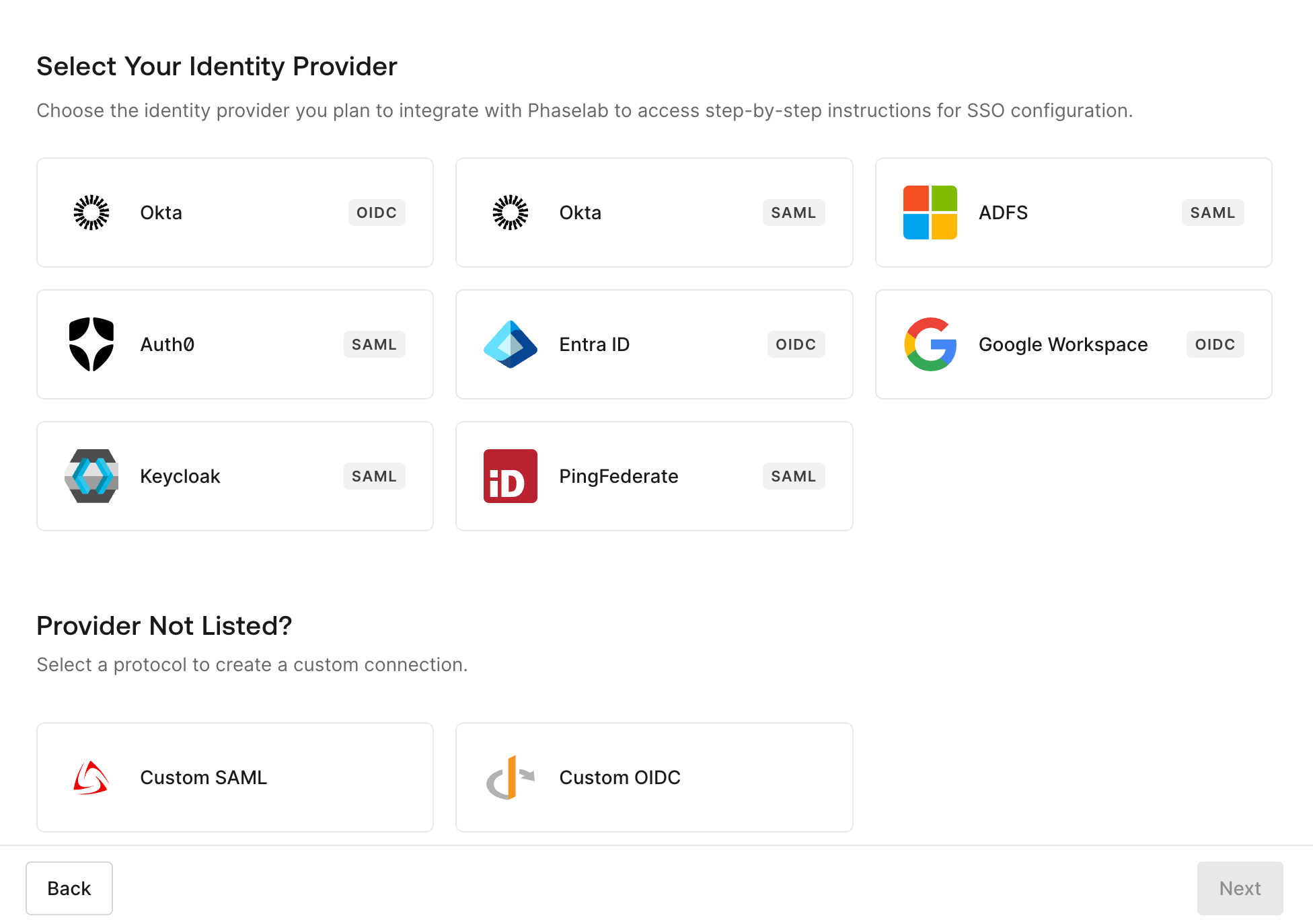
Choose your IdP: On the setup page, select your Identify Provider or create a custom connection:
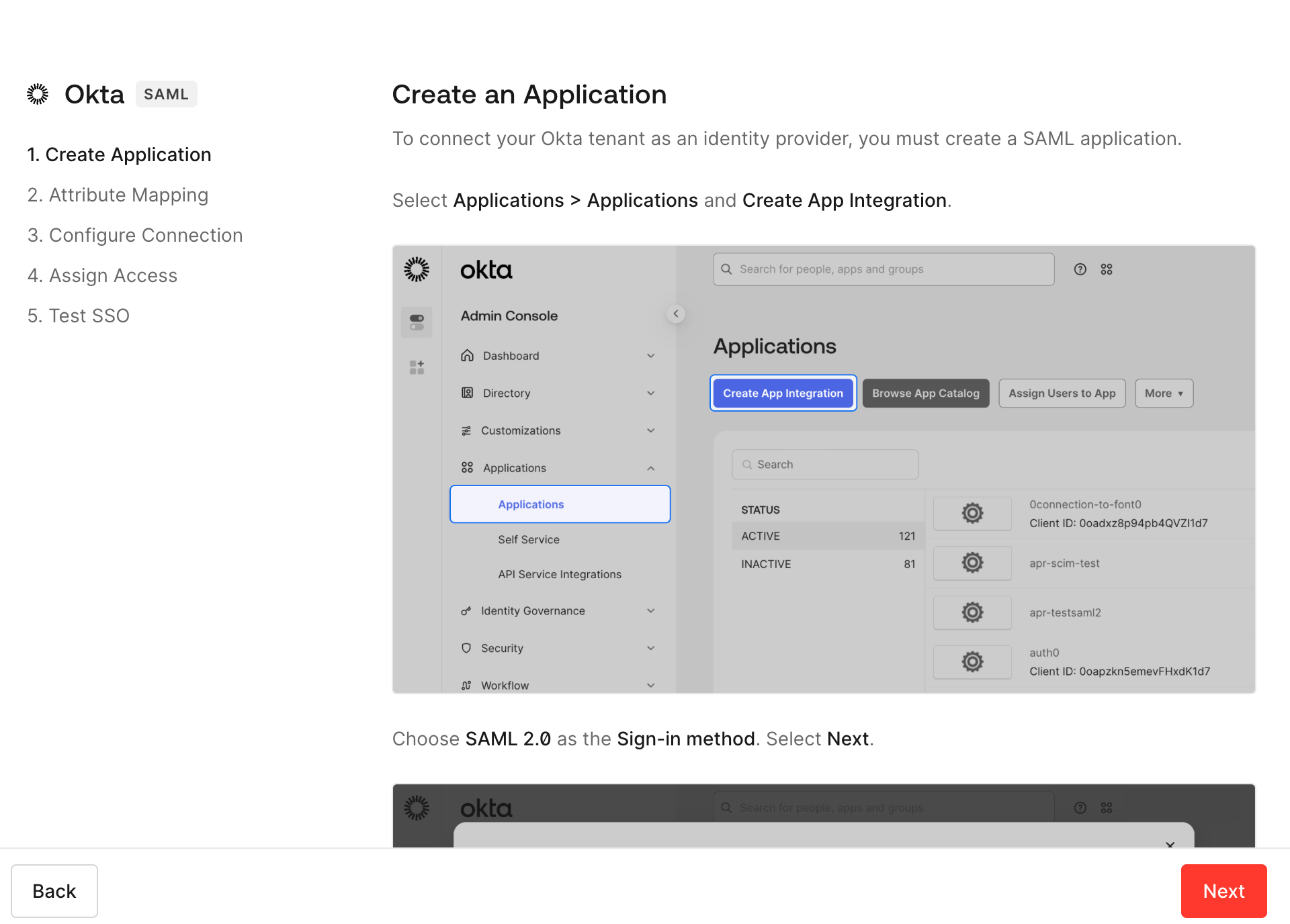
Configure your connection: Follow the instructions on the page to configure your SSO connection. For example, instructions for Okta SSO are below.
Test with a new user invite: If successful, you should see the new login option on your tenant's login page. To test, invite a new user/email to the account using an existing admin account. The new user should accept the invite and provision their account using the new login method you just created.
Migrate existing users to new connection: You likely have some users whose accounts were created during trial/onboarding that need to be migrated to the new enterprise connection. The easiest way to do this is to delete the current accounts and then re-invite them. If there is active work in-progress on the tenant and deleting accounts would be disruptive, please reach out to support@phaselab.co to discuss migration options.
Remove other login methods: Reach out to support@phaselab.co when your connection is fully configured if you would like all other login methods to be disabled.
Frequently Asked Questions
For non-SSO authentication, do you support MFA?
Yes, we mandate MFA for all username+password logins.
Can I disable all non-SSO login methods?
Yes, absolutely. Reach out to support@Phaselab.co
How do I determine if SSO is in my current plan?
All Enterprise plans include SSO access. If you need help determining if you're on an Enterprise plan have an admin reach out to your account manager or our support team.
Do I need a custom connector if I want one-click log in with Google or Microsoft Entra?
No, basic one-click login is enabled by default for all customers and does not need to be configured as above. If you have questions about login options please reach out.
Do you support SCIM provisioning?
Not at this time. If this is a priority please reach out to your account manager or our support team.
Do you support enforcing roles from the IdP side?
Not at this time. If this is a priority please reach out to your account manager or our support team.