Using the Case Activity Log
Last updated: October 7, 2026
In this article: How to view a log of all significant activity in a case, including uploads, status changes, and deadline updates.
The Case Activity page gives you a chronological record of everything that has happened in a case — who did what, and when. It's useful as an audit trail and for keeping track of changes made by your team during review.
Case Activity is only available for cases created from 21 September 2026 onwards. Cases created before this date will not have a Case Activity page.
How to access Case Activity
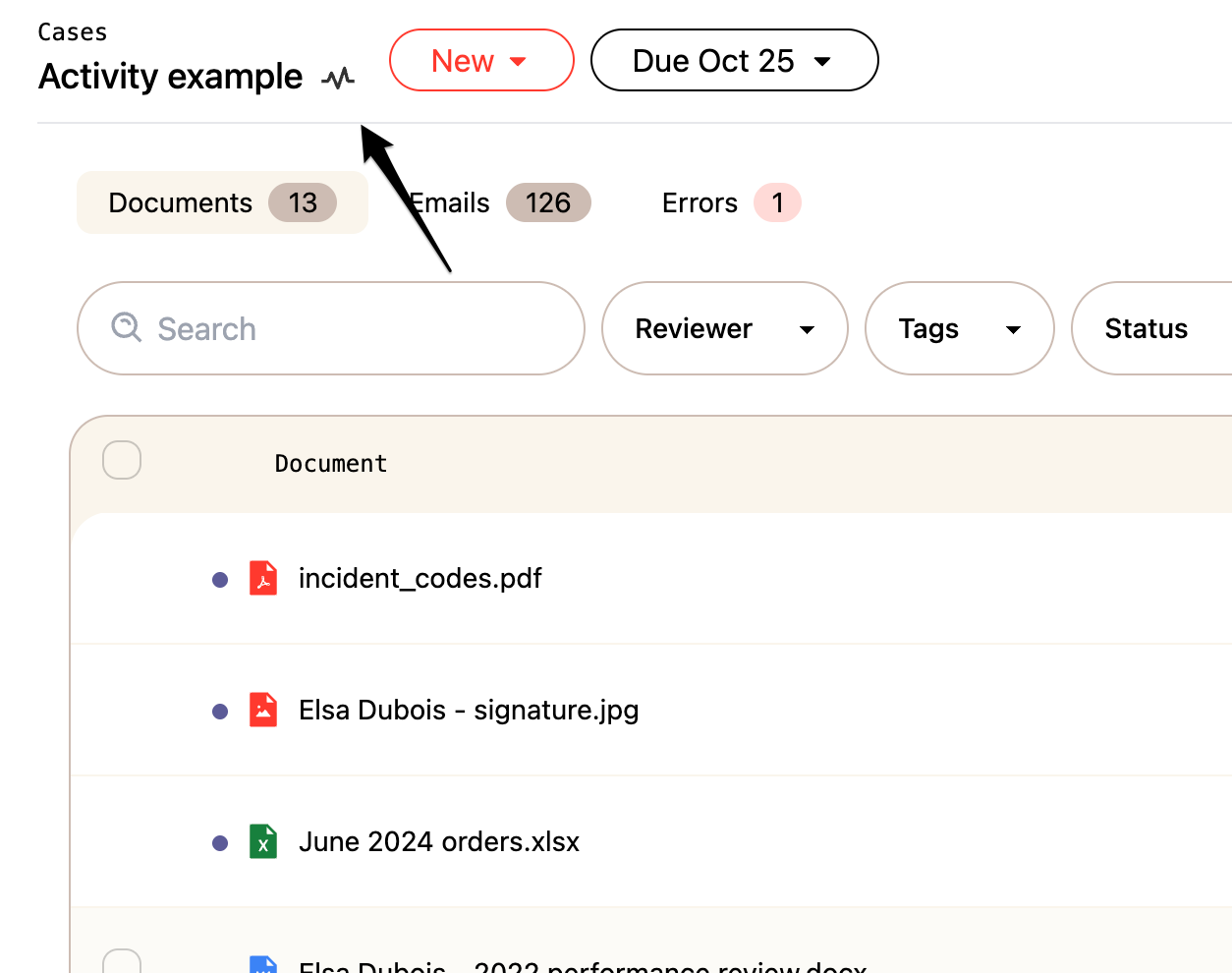
From inside your case, click the heartbeat icon near the case title to open the Case Activity page.
What's recorded
The Case Activity log captures the following events:
Case creation — when the case was created and by whom
Deadline changes — when the case due date is updated
Uploads — when documents are uploaded to the case
Document status changes — when documents are marked in scope, out of scope, finalized, and so on
Reviewer assignments — when a document is assigned to a team member
Exports — when a draft, final, or summary export is created, including the file name
Notes — when a note is added to the case
Tasks — when a case task is run, such as redundancy analysis or near duplicate detection
Filtering and searching
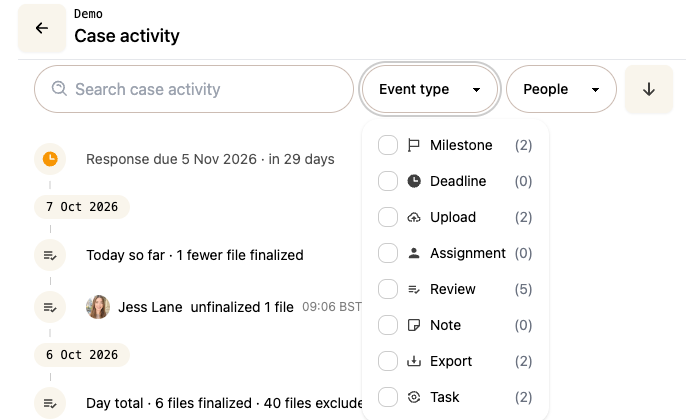
You can narrow down the activity log using the filters at the top of the page:
Event type — filter by a specific type of activity, such as uploads or export
People — filter by a specific team member to see only their activity
Use the search field to find a specific event.
Downloading the activity log
You can download the full activity log as an Excel spreadsheet (.xlsx) using the download button at the top right hand side of the page — useful if you need to share or store a record of case activity outside of Phaselaw.