How to Create a Final Export
Last updated: September 22, 2026
In this article: How to create a final export of your finalized documents for external disclosure.
A final export produces the fully redacted version of your documents — redactions are blacked out and comments are not included. Only finalized documents are included. This is the version you share externally as your formal disclosure.
Only finalized documents are included in a final export. Make sure all documents are finalized before exporting. → How to Finalize a Document
How to create a final export
From inside your case, click View and manage case exports in the top toolbar

Click the red New Export button

Set Export Type to Final
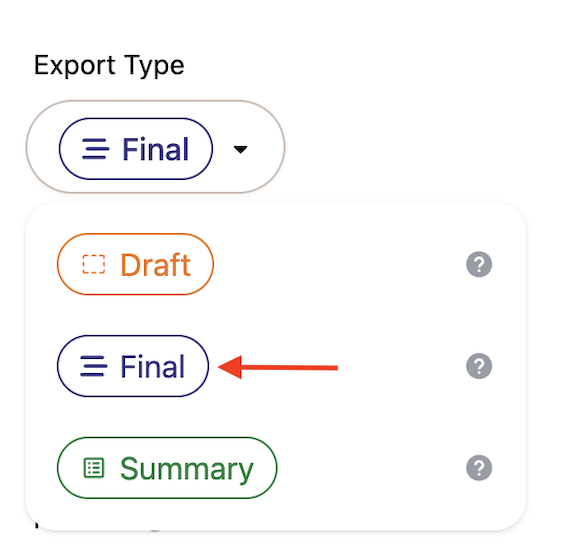
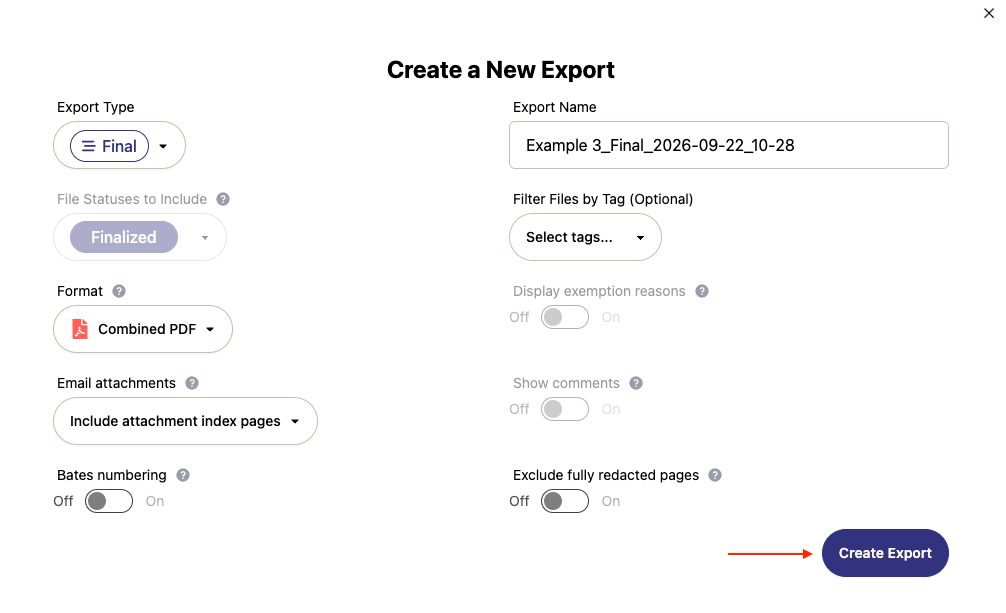
Give your export a name in the Export Name field — a name is generated automatically but you can edit it
Under Filter Files by Tag (Optional), select one or more tags to export only documents with those tags → Using tags to filter your exports
Choose your Format — Individual Files (downloads each document as a separate file, compressed into a ZIP folder) or Combined PDF (merges all documents into a single PDF file, useful for sharing as one document)
Use the Email attachments dropdown to choose how attachments are organised. Options differ depending on your format:
For Combined PDF:
Include attachment index pages (default) — adds an index page after each email showing where to find its attachments in the export
Append to email — attachments appear directly beneath the email they belong to
Sort alphabetically — attachments sorted alphabetically alongside other documents
For Individual Files:
Include attachment manifest (default) — includes a CSV file mapping the relationships between attachments and their parent emails
Sort alphabetically — attachments sorted alphabetically with no manifest
Toggle Display exemption reasons on if you want exemption reasons to be visible in the export
Toggle Exclude fully redacted pages on if you want to remove pages that were redacted with "Redact Entire Page" from the export. Removed pages keep their Bates numbers as gaps and stay listed in the export log.
Click Create Export
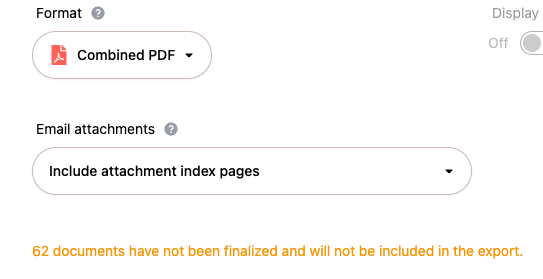
If there are documents in your case that haven't been finalized, you'll see a warning on the form letting you know how many will be excluded from the export. You can still proceed — only finalized documents will be included:
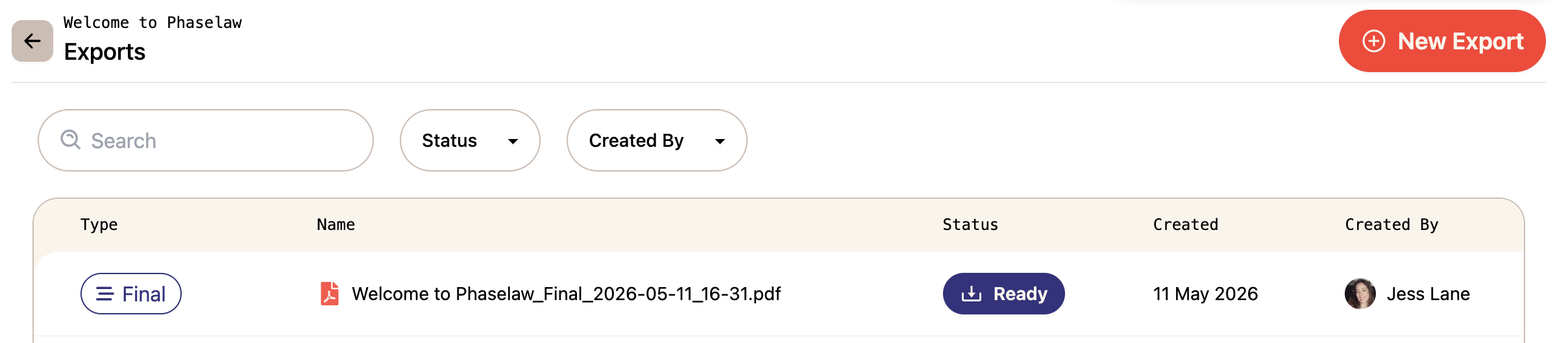
Your export will appear in the exports history once it's ready to download. You can filter your exports history by Status or Created By to find a specific export.
If your export shows a Failed status, it means no documents were found matching your filters. This can happen if:
No documents in your case have been finalized
You've applied a tag filter but no documents in the case have that tag applied
Try removing the tag filter or check that your documents have been finalized before exporting.
