Downloading the Original File
Last updated: August 17, 2026
In this article: How to download the original, unedited version of a document from within the document viewer.
The original file is the version that was uploaded to Phaselaw — before any redactions, edits, or comments were made. You can download it at any time during your review.
How to download the original file
Open the document in the document viewer
Click the Additional Information (i) icon in the top toolbar to open the panel
Scroll down to the Download Original section
Click Download
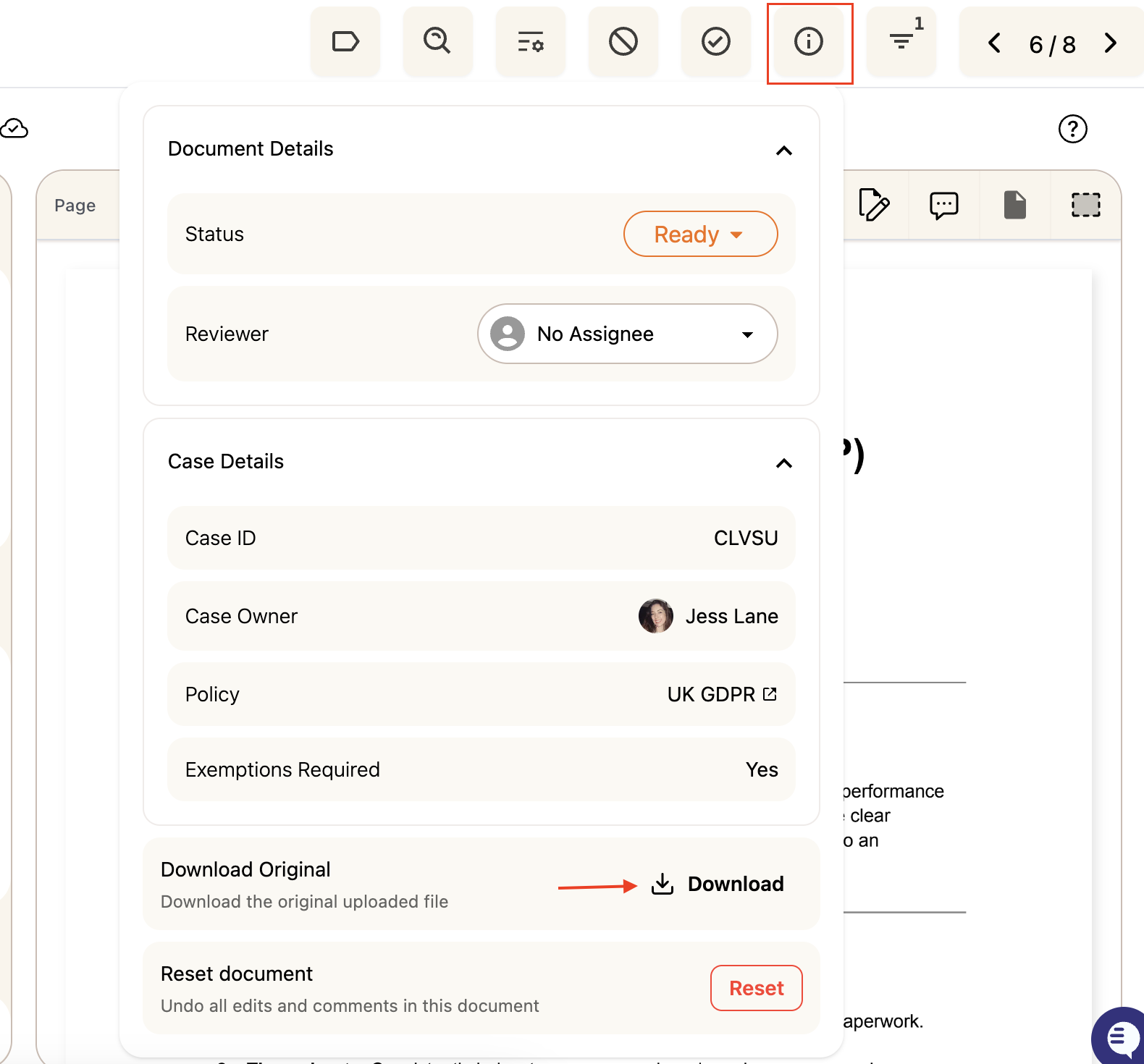
The original file will download to your device.
This downloads the unredacted original file — not the redacted version. Please note before sharing this file externally.