How to Change Your Redaction Style
Last updated: August 20, 2026
In this article: How to change the colour of redactions and exemption text across your organisation.
Redaction style settings let you customise how redactions appear in your documents. These are set at the account level in Configuration and apply as defaults across all cases.
Only admins can change the organization default redaction style settings.
How to change your redaction style
From the left sidebar, click Configuration
Under General Settings, go to the Redaction Style section
Click the colour dot under Fill to change the background colour of your redactions
Click the colour dot under Exemption Text to change the colour of the exemption reason displayed on redactions
Click Save
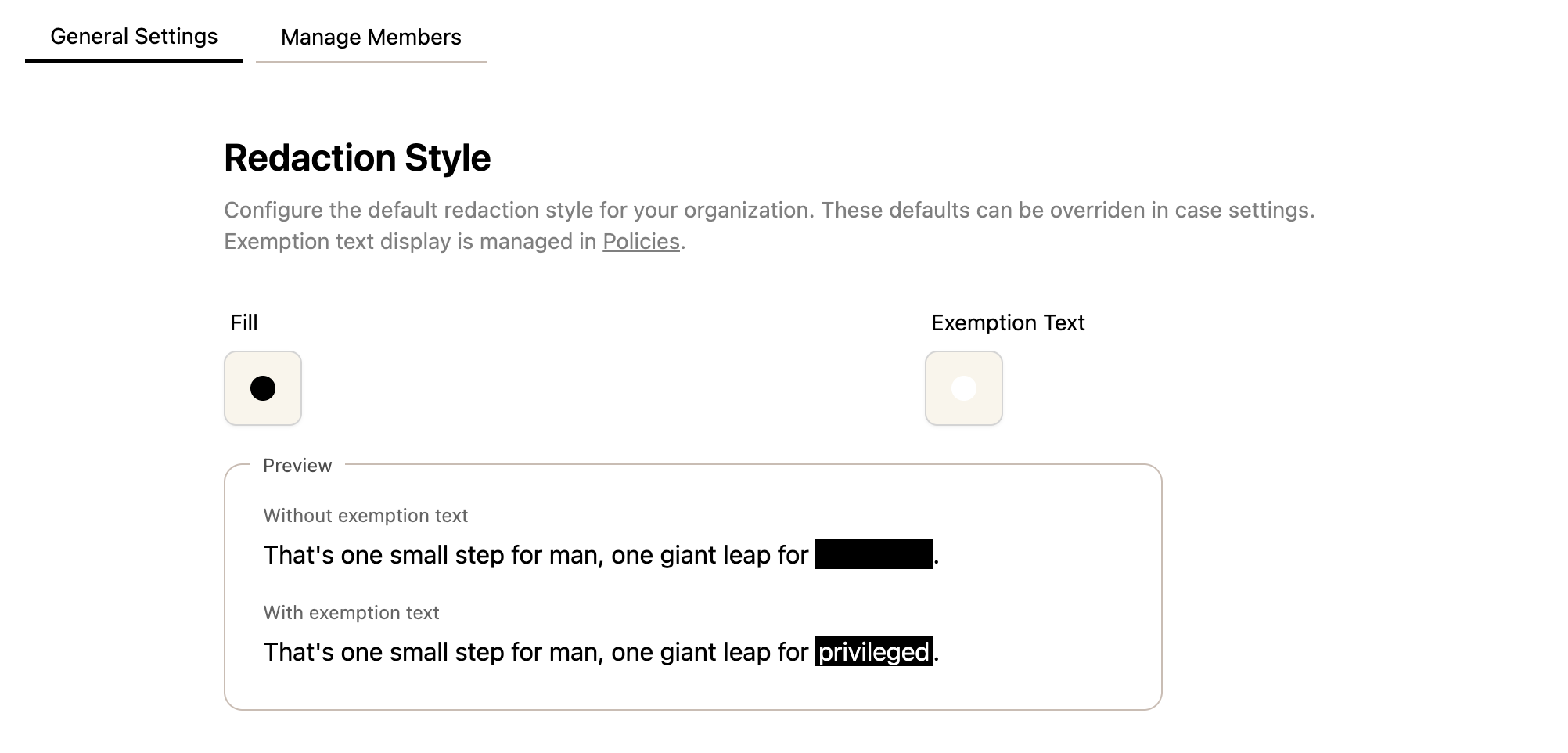
Changes made here apply as organization defaults only — individual cases can update these settings.