Assigning Documents to a Reviewer
Last updated: August 20, 2026
In this article: How to assign documents to a team member for review, individually or in bulk.
Assigning documents to a reviewer helps your team split work across a case and track who is responsible for each document.
You can only assign reviewers who are already in your account. → How to Invite Team Members to Your Account
Admins and Members already have access to all cases, so they'll appear in the reviewer dropdown straight away. For Restricted users- team members who should only have access to specific cases, you'll need to:
Invite them to your account → How to Invite Team Members to Your Account
Add them to the specific case → How to Add a Team Member to a Case
Once both steps are complete, they'll appear in the reviewer dropdown for that case.
Assigning a reviewer to a single document
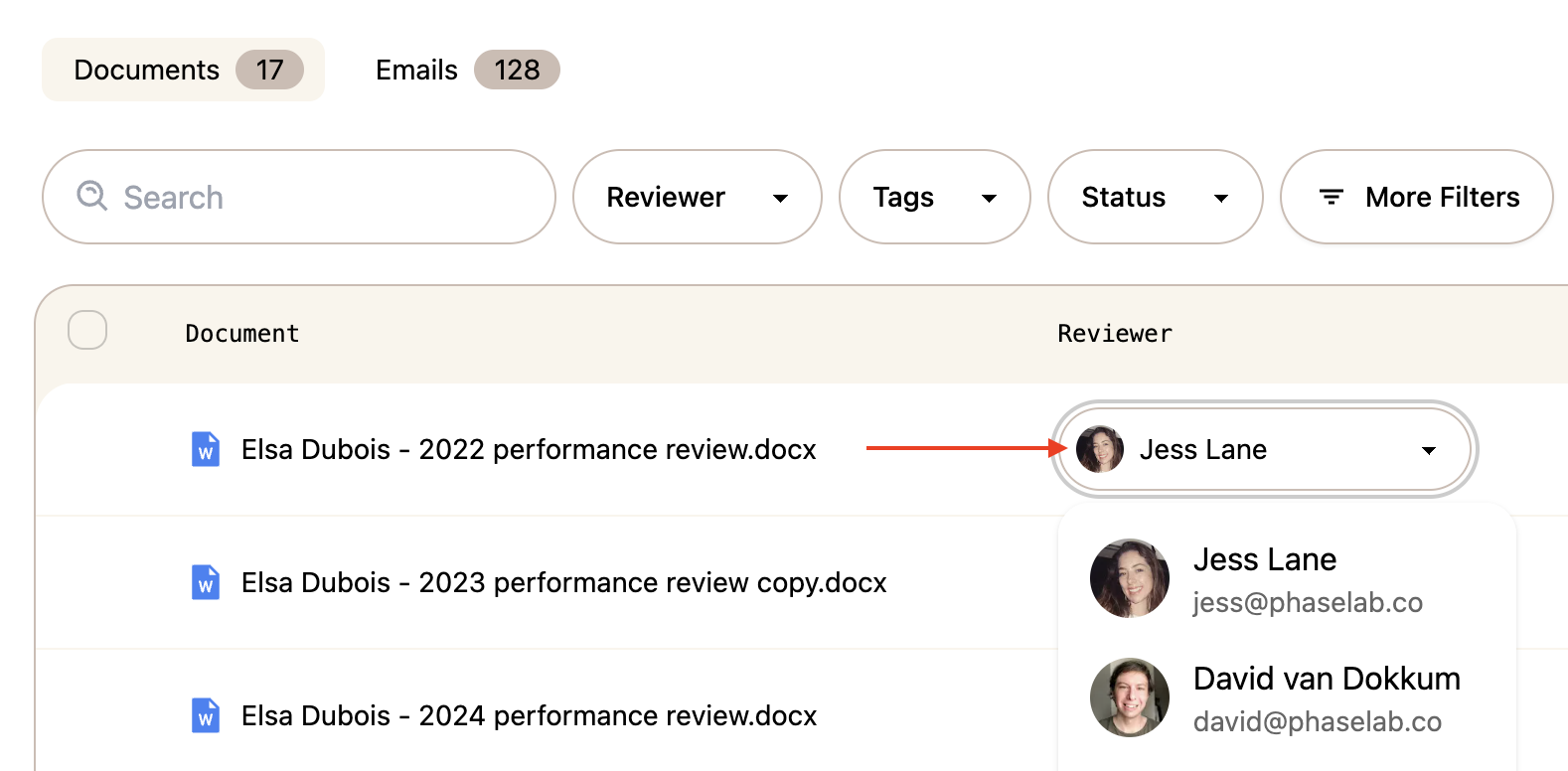
In the document list, find the document you want to assign
Click the Reviewer dropdown in the Reviewer column
Select a team member from the list
Assigning a reviewer to multiple documents at once
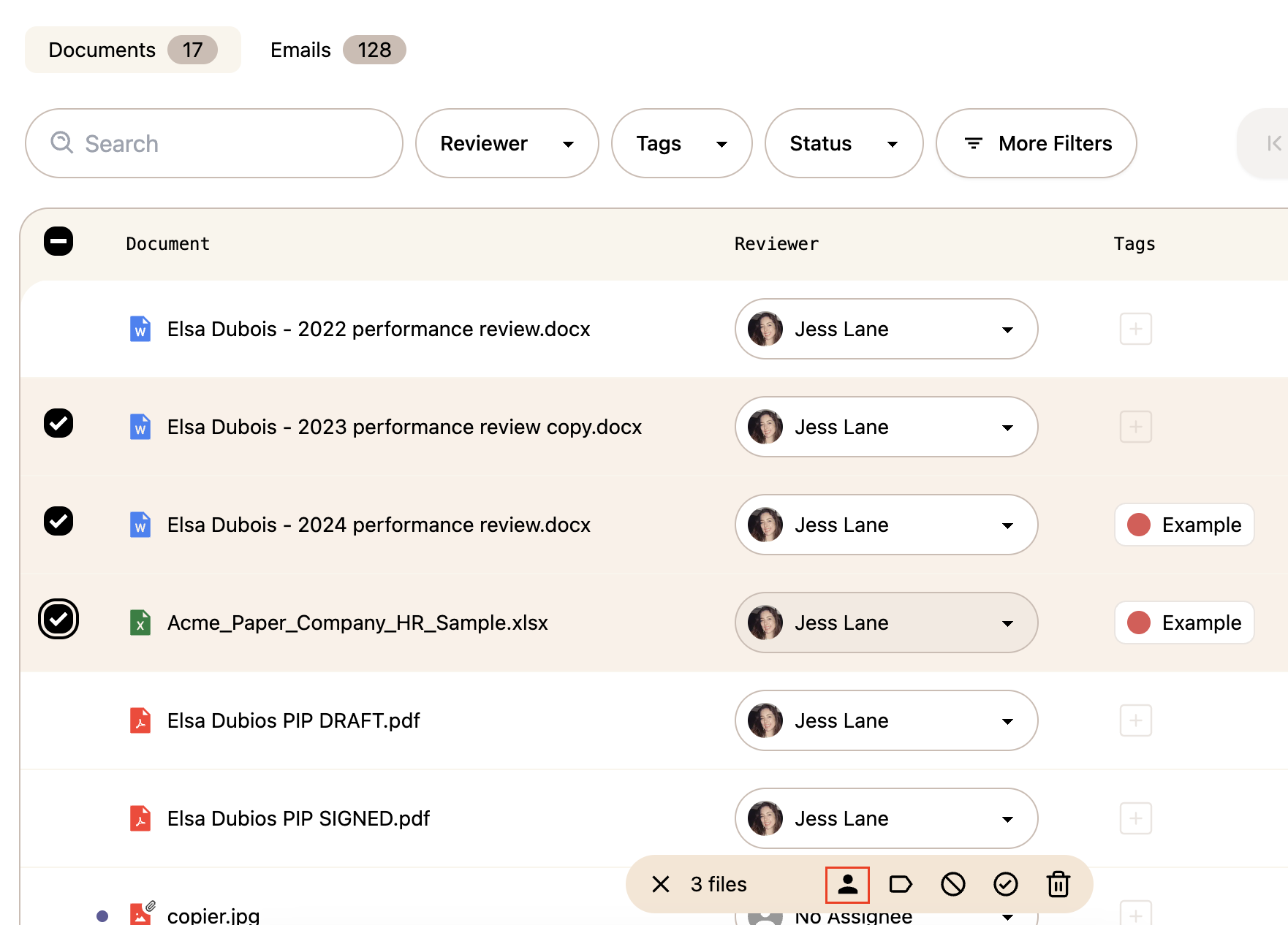
Select multiple documents using the checkboxes in the document list
Click the Assign Reviewer icon (person icon) in the bulk action bar at the bottom of the screen
Select a team member to assign them to all selected documents
Assigning a reviewer using Advanced Search
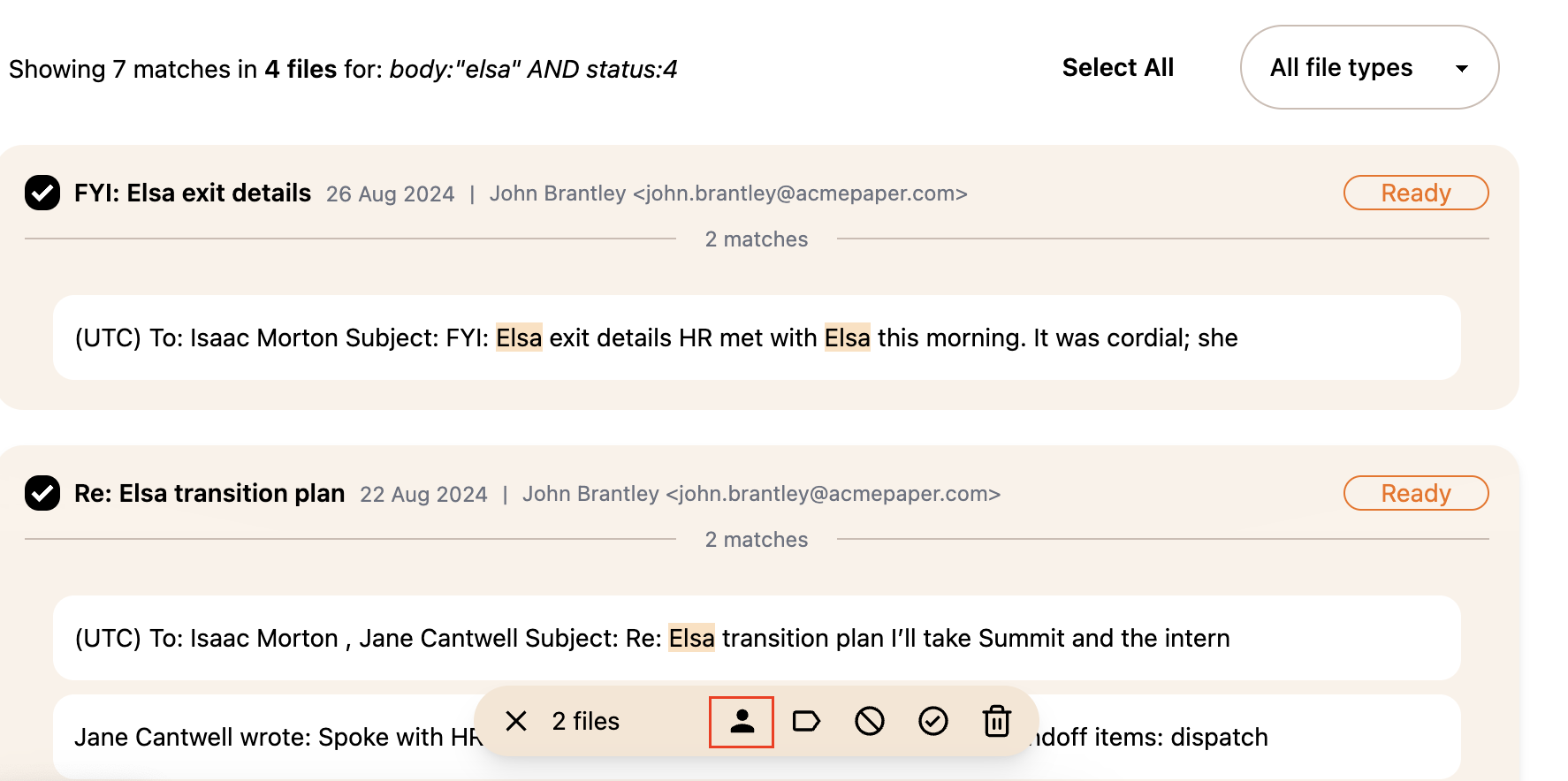
You can also use Advanced Search to find a specific set of documents and assign a reviewer to the results in the same way — useful if you want to assign all documents matching a particular criteria to one reviewer at once.
Run your search using the Advanced Search Query Builder → Using the Advanced Search Query Builder
Select the documents you want to assign using the checkboxes, or click Select All
Click the Assign Reviewer icon in the bulk action bar at the bottom of the screen
Select a team member to assign them to all selected documents
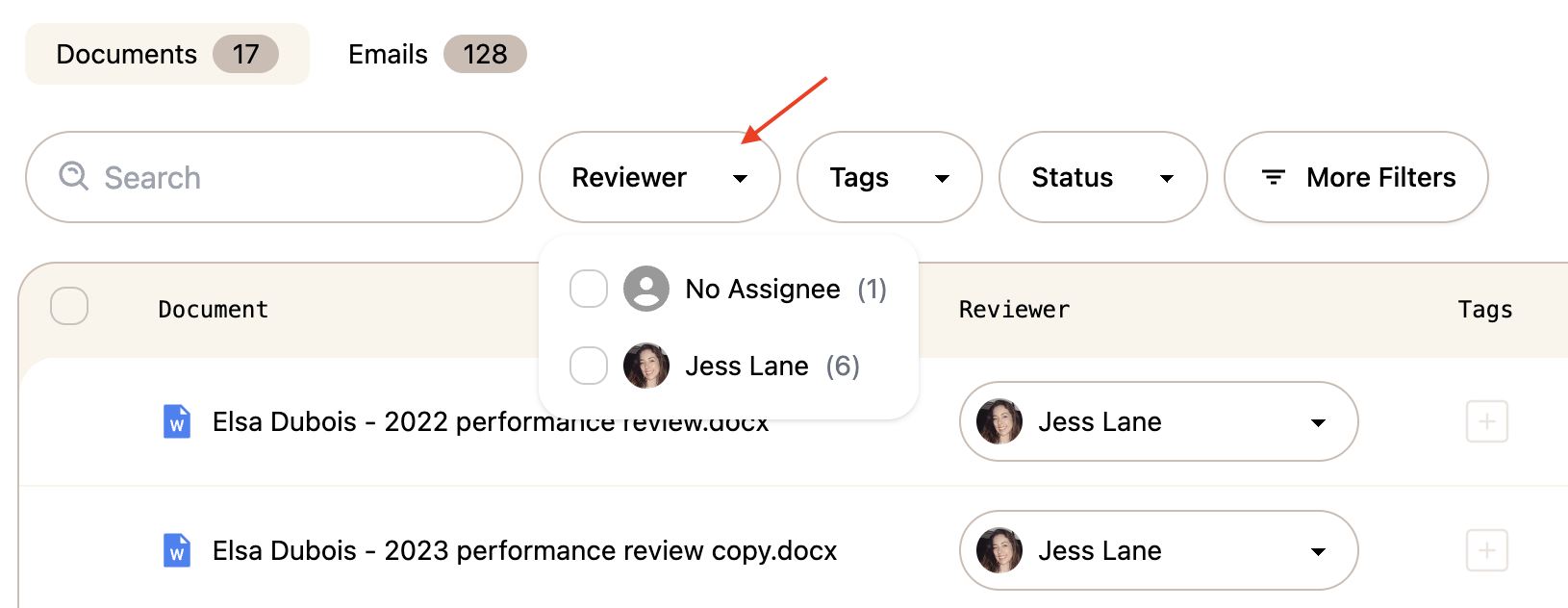
Filtering by reviewer
Once reviewers have been assigned, use the Reviewer filter at the top of the document list to show only documents assigned to a specific team member — or filter for No Assignee to find documents that haven't been assigned ye