How Email Attachments Are Handled
Last updated: June 16, 2026
In this article: How Phaselaw handles email attachments — where to find them, how they're linked to their parent emails, and how scoping works independently for each.
Why does my document count look higher than expected?
When you upload a batch of emails, you may notice that the total number of files in your case is higher than the number of emails you uploaded. This is expected — Phaselaw automatically extracts attachments from emails and lists them as separate files for review. So if you upload 9,000 emails and many of them contain attachments, you could end up with significantly more than 9,000 files in your case.
Where do attachments appear?
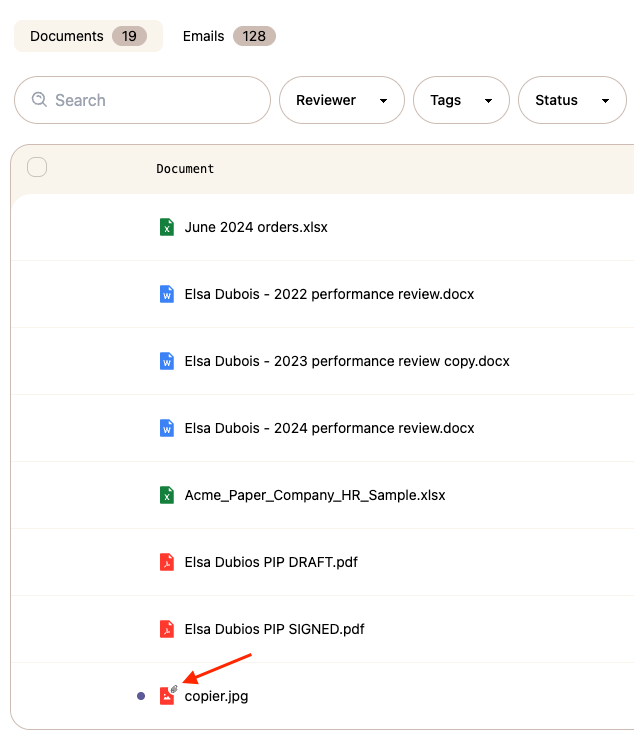
When you upload emails into a case, Phaselaw automatically extracts any attachments and lists them separately in the Documents tab. You can identify attachments by the small paperclip icon next to the filename.
How attachments are linked to emails
Attachments and their parent emails are linked in both directions — so you can always navigate between the two.
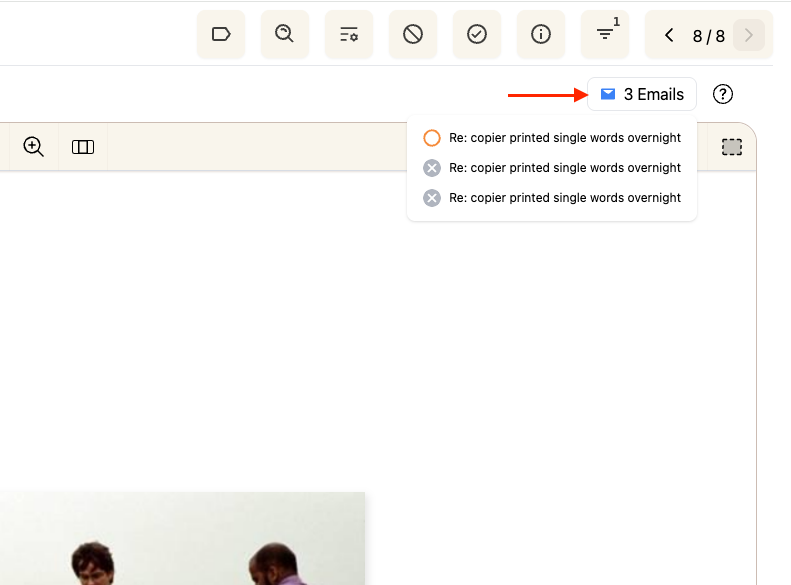
From an attachment → find the emails it came from
When you open an attachment in the document viewer, you'll see a "X Emails" badge in the top right corner. Clicking it shows you a list of all the emails that included this file as an attachment.
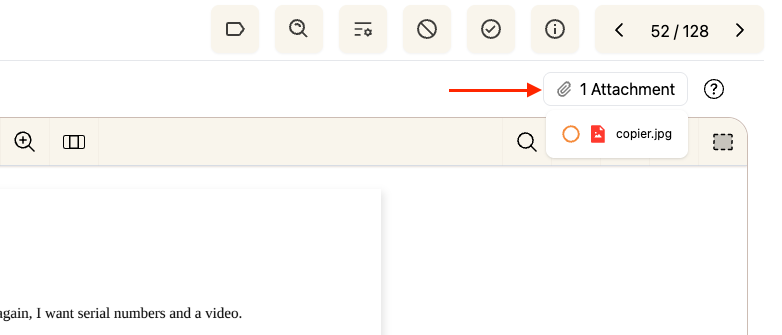
From an email → find its attachments
When you open an email, you'll see a "X Attachment" badge in the top right corner. Clicking it takes you directly to the attachment.
Scoping attachments independently
Attachments and their parent emails can be scoped independently of each other. For example, you can mark an email as out of scope while keeping its attachment in scope — or vice versa.
This is particularly useful when an email body is not relevant to the request but the attached document is, or when the same attachment appears across multiple emails that have different scoping decisions.
Deduplication of attachments
If the same file appears as an attachment across multiple emails, Phaselaw won't create a separate copy for each one. Instead, it creates a single file and links it to all the emails it was attached to. This means you only ever review and redact the attachment once, regardless of how many emails it was attached to.
→ Learn more: How Deduplication Works
Attachments in exports
When exporting your case, you can control how email attachments are organised — for example, whether they appear after each email or are sorted alphabetically.